

Running a small business has never been easy. Owners often wear multiple hats—handling sales, customer support, marketing, accounting, and operations simultaneously. Fortunately, modern AI automation tools have changed the game for entrepreneurs everywhere.
Instead of spending hours on repetitive tasks, today’s AI-powered platforms can handle AI business automation, helping to automate workflows, answer customer questions, generate marketing content, schedule meetings, manage emails, and even analyze business performance.
According to recent industry reports, AI adoption among small businesses continues to rise. Companies are seeing measurable productivity gains and lower operating costs by integrating these advanced workflow automation tools.
In this guide, we’ll explore the Best AI Automation Tools for Small Business, comparing their strengths, pricing, and ideal use cases to help you find the perfect AI tools for small business success.
Why Small Businesses Need AI Automation
Small businesses typically operate with limited budgets and lean teams. Investing in the right small business AI software helps by:
- Saving dozens of hours every month: Utilizing AI productivity tools allows you to reclaim lost time.
- Reducing manual data entry: Streamlining data management through modern AI workflow automation.
- Improving customer response time: Deploying smart AI customer service tools to support clients 24/7.
- Increasing sales efficiency: Boosting conversions using targeted AI marketing automation.
- Automating repetitive administrative work: Letting flexible workflow automation tools handle the background tasks.
- Scaling operations without hiring additional employees: Growing your brand efficiently with robust business automation software.
Instead of replacing employees, implementing AI business automation allows small teams to focus on high-value strategic work while software handles the repetitive tasks. It’s no wonder these have become essential AI tools for entrepreneurs and the best AI software for startups looking to compete with industry giants.ks.
Best AI Automation Tools for Small Business
1. Zapier AI
Best for: Workflow automation

If your small business uses multiple apps every day, Zapier AI is one of the easiest ways to connect them and automate repetitive work—without writing a single line of code.
Zapier is trusted by millions of users worldwide and supports 7,000+ app integrations, including Gmail, Slack, Google Sheets, Shopify, HubSpot, Salesforce, Notion, Trello, Zoom, Microsoft 365, and many more. Instead of manually moving information between apps, Zapier automatically handles repetitive tasks in the background.
What makes Zapier even more powerful is its built-in AI capabilities. Rather than configuring complex automation rules step by step, you can simply describe what you want in plain English. For example:
“When a customer fills out my contact form, add them to HubSpot, send a welcome email, and notify my sales team in Slack.”
Zapier AI understands your request and generates the workflow automatically, dramatically reducing setup time.
Key Features
- AI Workflow Builder – Create automations using natural language instead of manual configuration.
- Email Automation – Automatically send welcome emails, follow-ups, notifications, and reminders.
- CRM Synchronization – Keep customer data updated across platforms like HubSpot, Salesforce, and Pipedrive.
- Lead Management – Capture, qualify, and distribute leads instantly without manual data entry.
- Multi-Step Workflows – Build sophisticated automations involving multiple apps and conditional logic.
- AI Automation Suggestions – Receive intelligent recommendations for optimizing existing workflows.
Real-World Use Cases
Zapier AI can automate hundreds of everyday business tasks, including:
- Sending instant notifications when a new customer places an order.
- Creating invoices automatically after a successful payment.
- Saving email attachments directly to Google Drive or Dropbox.
- Posting new blog articles to social media automatically.
- Adding webinar attendees to your CRM.
- Updating inventory after every online sale.
- Creating support tickets from customer emails.
- Scheduling follow-up emails for new leads.
- Syncing contact information between marketing and sales tools.
- Generating reports from multiple data sources.
These automations eliminate repetitive work and help small business owners focus on growing their business.
Pros
- Extremely beginner-friendly interface
- No coding knowledge required
- Supports over 7,000 popular applications
- Fast and reliable cloud automation
- Powerful AI workflow generation
- Extensive template library
- Excellent documentation and tutorials
- Large user community
Cons
- Premium plans can become expensive for businesses running thousands of automated tasks each month.
- Some advanced workflow logic requires higher-tier subscriptions.
- Complex enterprise automations may require a learning curve.
Pricing
Zapier offers a Free Plan that allows users to build basic automations and explore the platform before upgrading.
Paid plans unlock:
- Higher task limits
- Multi-step workflows
- Premium app integrations
- Advanced filters and logic
- AI-powered automation features
- Team collaboration tools
For most small businesses, the free or entry-level paid plan is sufficient when getting started.
Why We Recommend Zapier AI
For small businesses looking to automate repetitive tasks quickly, Zapier AI remains one of the best all-around solutions available. Its combination of ease of use, massive integration library, and AI-assisted workflow creation makes it an excellent choice for entrepreneurs, startups, and growing companies.
Whether you’re automating marketing campaigns, customer onboarding, CRM updates, or internal operations, Zapier AI can save hours of manual work every week and help your business operate more efficiently.
2. Make (formerly Integromat)
Best for: Advanced workflow automation

If your business requires more sophisticated automation than basic “if-this-then-that” workflows, Make is an excellent choice. Formerly known as Integromat, Make has evolved into one of the most powerful no-code automation platforms available, allowing businesses to build highly customized workflows with an intuitive visual interface.
Unlike many automation tools that focus on simplicity, Make gives users greater control over how data flows between applications. Its drag-and-drop scenario builder makes it easy to design complex automations involving multiple apps, conditional logic, routers, filters, and data transformations—all without writing code.
With support for 2,000+ integrations and the ability to connect to virtually any application through APIs and webhooks, Make is a favorite among startups, agencies, ecommerce businesses, and growing companies that need scalable automation.
Key Features
- Visual Workflow Builder – Design automation scenarios with an intuitive drag-and-drop interface.
- Advanced Logic & Filters – Add conditions, branching, routers, and error handling for complex workflows.
- Multi-App Integrations – Connect CRMs, ecommerce platforms, marketing tools, databases, cloud storage, and more.
- Real-Time Data Processing – Automatically process and synchronize data as events occur.
- API & Webhook Support – Connect custom applications and services beyond native integrations.
- Scheduling Options – Run workflows instantly, at scheduled intervals, or based on specific triggers.
- Data Transformation Tools – Format, filter, aggregate, and manipulate data without additional software.
- Scenario Monitoring – Track automation performance, execution history, and potential errors.
Real-World Use Cases
Make is especially valuable for businesses that manage multiple systems and large volumes of data. Common automation examples include:
- Automatically processing online orders from Shopify or WooCommerce.
- Syncing customer information between your CRM and email marketing platform.
- Sending personalized follow-up emails after form submissions.
- Creating invoices whenever a payment is completed.
- Updating inventory across multiple ecommerce channels.
- Notifying team members in Slack or Microsoft Teams when important events occur.
- Automating customer onboarding with welcome emails, account creation, and task assignments.
- Generating reports from multiple data sources and storing them in Google Sheets or Airtable.
- Connecting internal tools through APIs for fully customized workflows.
- Automating project creation in Asana, Trello, or ClickUp when new clients are added.
These advanced capabilities help businesses eliminate repetitive work while ensuring data remains accurate across every connected platform.
Pros
- Highly flexible visual workflow builder
- Powerful automation logic with branching and conditional rules
- Excellent support for APIs and webhooks
- Handles complex business processes efficiently
- Affordable pricing compared to many enterprise automation platforms
- Large library of app integrations
- Scalable for startups, agencies, and growing businesses
- Detailed execution logs for troubleshooting
Cons
- Slight learning curve for beginners.
- Advanced workflows may require time to design and optimize.
- The interface offers many features, which can feel overwhelming for first-time users.
Pricing
Make offers a Free Plan that allows users to create and test automation scenarios with generous monthly operation limits.
Paid plans include additional benefits such as:
- Higher operation limits
- Faster execution speeds
- Premium app integrations
- Advanced scheduling options
- Team collaboration features
- Enterprise-grade security and administration
For many small businesses, the free plan provides enough functionality to start automating essential workflows before upgrading as operations grow.
Why We Recommend Make
Make is one of the best AI-powered automation platforms for businesses that need more flexibility than basic automation tools can provide. Its visual workflow builder, advanced logic, and extensive integration capabilities make it ideal for companies managing complex business processes.
If your workflows involve multiple applications, conditional decisions, data transformations, or API connections, Make delivers exceptional value without requiring programming skills. While it has a slightly steeper learning curve than beginner-focused tools, the additional flexibility makes it a worthwhile investment for businesses looking to scale their automation strategy.
3. ChatGPT
Best for: Content creation and business productivity

ChatGPT has become one of the most versatile AI tools available for small businesses. While many people initially recognized it as an AI writing assistant, it has evolved into a powerful productivity platform capable of handling everything from content creation and customer communication to data analysis and strategic planning.
Whether you’re a solo entrepreneur, startup founder, freelancer, or growing business owner, ChatGPT can function as a 24/7 virtual business assistant, helping you complete tasks in minutes that would otherwise take hours.
Unlike traditional automation tools that focus on connecting applications, ChatGPT helps businesses generate ideas, solve problems, improve communication, and accelerate everyday workflows using natural language conversations.
Key Features
- AI Content Writing – Create high-quality blog posts, articles, landing pages, product descriptions, and website copy.
- Email & Business Communication – Draft professional emails, customer responses, sales outreach, and follow-up messages.
- Marketing Campaign Creation – Generate social media posts, ad copy, newsletters, and promotional content.
- Idea Generation – Brainstorm business ideas, marketing strategies, product names, and campaign concepts.
- Document Summarization – Quickly summarize reports, meeting notes, contracts, and lengthy documents.
- Customer Feedback Analysis – Identify trends, common complaints, and opportunities from customer reviews.
- Data Interpretation – Explain spreadsheets, analyze business metrics, and provide actionable insights.
- Coding & Technical Assistance – Help developers write, debug, and optimize code while assisting non-technical users with automation scripts.
- Custom GPTs (Paid Plans) – Create personalized AI assistants tailored to your business processes.
Real-World Use Cases
Small businesses use ChatGPT every day to improve productivity across multiple departments.
Common examples include:
- Writing SEO-optimized blog articles for business websites.
- Creating compelling product descriptions for ecommerce stores.
- Drafting professional proposals and business plans.
- Generating social media content calendars.
- Writing Google Ads and Facebook Ads copy.
- Creating customer support responses and FAQ pages.
- Preparing presentations and meeting agendas.
- Translating content into multiple languages.
- Summarizing research reports and competitor analysis.
- Brainstorming new products, services, or marketing campaigns.
Instead of switching between multiple software tools, business owners can accomplish many daily tasks from a single AI assistant.
Pros
- Extremely easy to use with a conversational interface
- Produces high-quality content in seconds
- Saves significant time on repetitive writing tasks
- Supports brainstorming, research, and problem-solving
- Useful across marketing, sales, customer service, and operations
- Continuously improving with new AI capabilities
- Supports file uploads, image analysis, and advanced reasoning on paid plans
- Excellent value for businesses of all sizes
Cons
- AI-generated content should always be reviewed before publishing.
- Responses may occasionally contain outdated or inaccurate information if not verified.
- Some advanced features are only available with paid subscriptions.
Pricing
ChatGPT offers a Free Plan, making it accessible for individuals and small businesses that want to explore AI without an upfront investment.
Paid plans provide additional benefits such as:
- Faster response times
- Access to more advanced AI models
- Higher usage limits
- File uploads and data analysis
- Image generation and image understanding
- Custom GPT creation
- Advanced reasoning capabilities
For most small businesses, even the free version can dramatically improve productivity, while upgrading unlocks more powerful tools for growing teams.
Why We Recommend ChatGPT
ChatGPT is one of the best all-around AI tools for small businesses because of its incredible versatility. Rather than solving just one problem, it helps with writing, communication, marketing, planning, research, customer support, coding, and much more.
For entrepreneurs and small teams with limited resources, ChatGPT acts like an extra employee that’s available around the clock. It can reduce workload, accelerate decision-making, improve content quality, and free up valuable time for higher-priority business activities.
Whether you’re creating marketing campaigns, answering customer inquiries, writing proposals, or developing new business ideas, ChatGPT is an essential productivity tool that delivers outstanding value.
4. Claude
Best for: Long-form writing and document analysis

When your business needs to work with lengthy documents, detailed reports, or complex business information, Claude is one of the best AI assistants available. Developed by Anthropic, Claude is known for its ability to understand large amounts of text while maintaining context throughout long conversations.
Unlike many AI tools that perform best with shorter prompts, Claude excels at analyzing, summarizing, and generating long-form content with clarity and consistency. This makes it especially valuable for business owners, consultants, legal teams, HR departments, and project managers who regularly work with extensive documentation.
Key Features
- Long-Form Writing – Create comprehensive reports, guides, manuals, and business documents.
- Document Analysis – Review contracts, proposals, PDFs, and lengthy reports quickly.
- Research Summaries – Turn complex research into clear, actionable summaries.
- Context Retention – Maintains context across long conversations for more accurate responses.
- Business Planning – Assist with business plans, strategies, and operational documentation.
- Writing Assistance – Improve grammar, structure, clarity, and professional tone.
Real-World Use Cases
Claude is particularly useful for businesses that handle extensive documentation, including:
- Writing Standard Operating Procedures (SOPs)
- Creating company policies and employee handbooks
- Summarizing research papers and market reports
- Drafting internal documentation and knowledge bases
- Reviewing contracts and legal documents
- Preparing business plans and project proposals
- Organizing meeting notes into actionable summaries
- Improving long-form reports before publication
Pros
- Excellent at handling long documents
- Strong reasoning and document comprehension
- Produces natural, well-structured writing
- Maintains context over lengthy conversations
- Simple and user-friendly interface
Cons
- Fewer third-party integrations than some competitors.
- Advanced features may require a paid subscription.
- Less focused on workflow automation than dedicated automation platforms.
Pricing
Claude offers a Free Plan for everyday use, while paid plans provide access to more advanced models, higher usage limits, and enhanced performance for professional users.
Why We Recommend Claude
If your business regularly creates or reviews long documents, Claude is one of the best AI tools you can add to your workflow. Its ability to understand context, analyze complex information, and produce high-quality writing makes it an excellent choice for documentation, planning, research, and professional communication.
5. Notion AI
Best for: Team productivity

Notion AI is an excellent productivity tool for teams that want to manage projects, documentation, and collaboration in one workspace. Built directly into Notion, it helps automate writing, organize information, and keep everyone aligned without switching between multiple apps.
Key Features
- AI writing and content editing
- Meeting summaries
- Project planning
- Knowledge management
- Task generation
- Document organization
Real-World Use Cases
- Summarize meeting notes
- Create project plans and task lists
- Build company wikis and SOPs
- Draft internal documents
- Organize research and team knowledge
Pros
- Easy to use
- Built directly into Notion
- Improves team collaboration
- Saves time on documentation
Cons
- Best for businesses already using Notion
- Advanced AI features require a paid plan
Pricing
A Free Plan is available, while AI features are included with eligible paid plans.
Why We Recommend Notion AI
Notion AI is a smart choice for businesses looking to centralize documentation, project management, and AI-powered writing. It helps teams stay organized, collaborate more efficiently, and reduce time spent on repetitive documentation tasks.
6. HubSpot AI
Best for: Sales and CRM automation
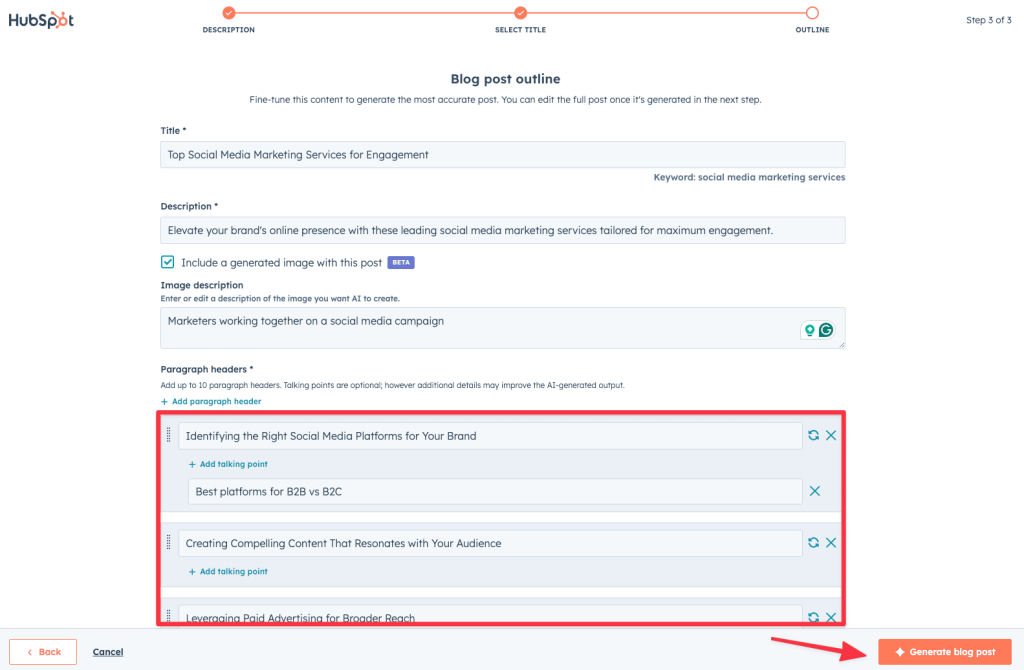
HubSpot AI combines a powerful CRM with AI-driven automation to help businesses manage leads, improve customer relationships, and close deals more efficiently. By automating repetitive sales and marketing tasks, teams can spend more time building relationships and growing revenue.
Key Features
- AI lead scoring
- Automated follow-up emails
- Personalized marketing campaigns
- Customer interaction analysis
- AI-generated reports and insights
- CRM automation
Real-World Use Cases
- Prioritize high-value leads automatically
- Send personalized follow-up emails after customer inquiries
- Create targeted email marketing campaigns
- Track customer engagement across multiple channels
- Generate sales performance reports in minutes
Pros
- Powerful all-in-one CRM platform
- Excellent sales and marketing automation
- Easy-to-use interface
- Scalable for growing businesses
Cons
- Advanced AI features require paid plans
- Can be expensive for larger teams
Pricing
HubSpot offers a Free CRM with essential tools, while advanced AI and automation features are available through paid plans.
Why We Recommend HubSpot AI
HubSpot AI is an excellent choice for small businesses looking to streamline sales, automate customer engagement, and improve marketing performance. Its combination of CRM, AI insights, and automation makes it a valuable platform for businesses ready to scale.businesses focused on sales.
7. Tidio AI
Best for: Customer support
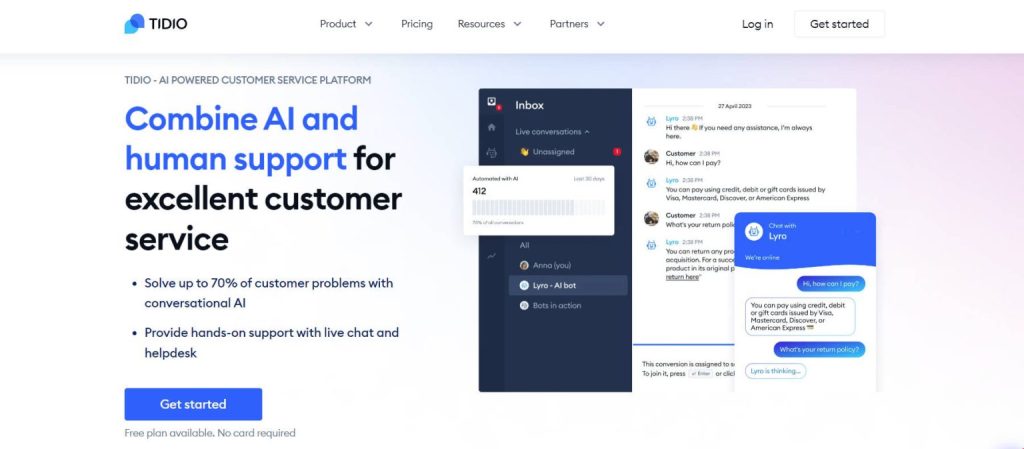
Customer service can consume hours every day.
Tidio uses AI chatbots to answer common questions instantly.
Benefits include:
- 24/7 support
- Lead qualification
- Live chat
- Automated responses
- Order tracking
Small ecommerce stores particularly benefit from this solution.
8. Canva Magic Studio
Best for: Marketing content
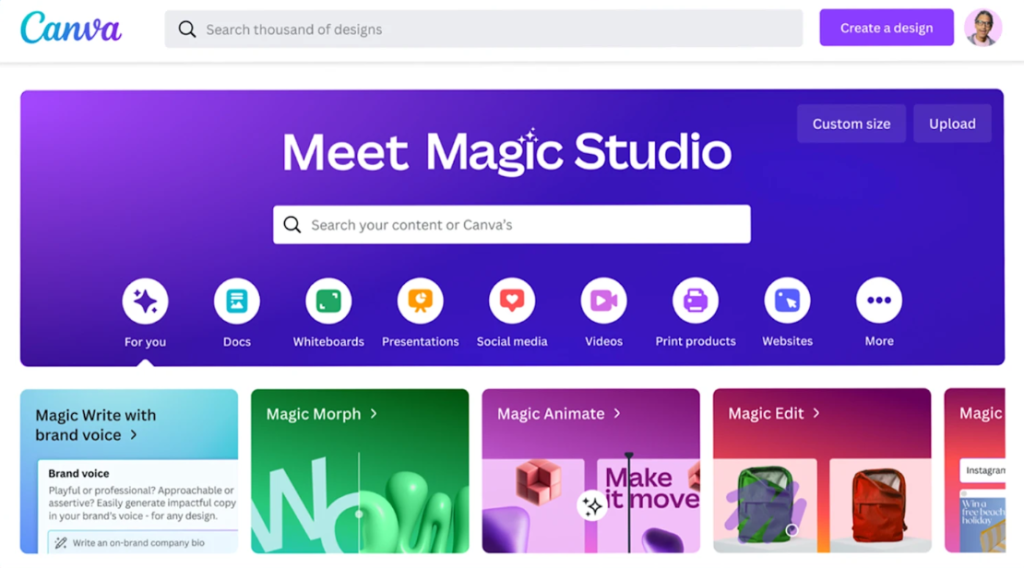
Design no longer requires a professional graphic designer.
Canva’s AI tools can create:
- Social media graphics
- Presentations
- Marketing materials
- Product images
- Videos
- Brand assets
Its ease of use makes it ideal for startups and local businesses.
9. Grammarly AI
Best for: Business communication
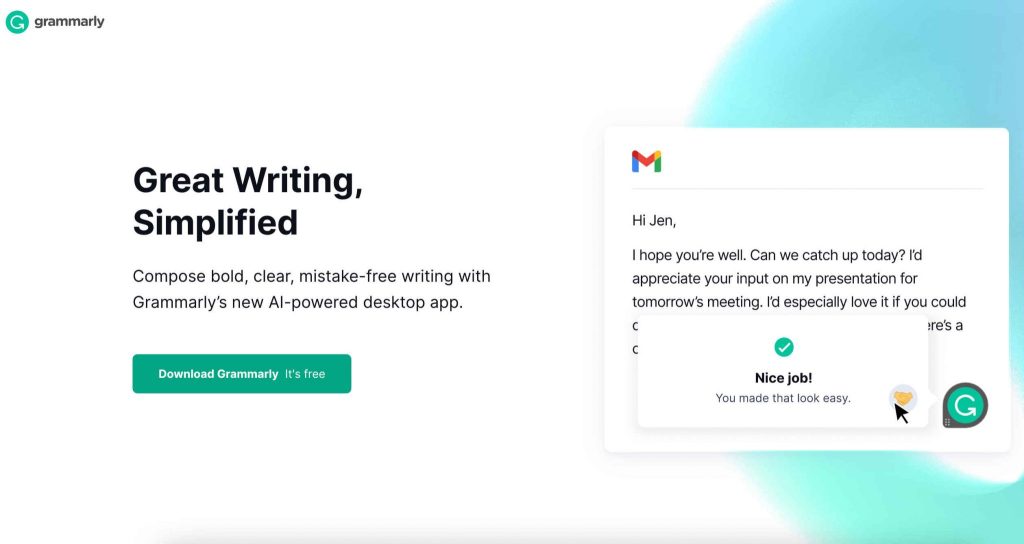
Professional communication builds trust.
Grammarly helps improve:
- Emails
- Blog posts
- Sales proposals
- Website copy
- Reports
Its AI also adjusts tone depending on your audience.
10. QuickBooks AI
Best for: Accounting automation

Financial management often overwhelms small business owners.
QuickBooks automates:
- Expense categorization
- Invoice generation
- Financial reporting
- Cash flow analysis
- Receipt processing
This reduces bookkeeping errors while saving valuable time.
Comparison Table
| Tool | Best For | Free Plan | Difficulty |
|---|---|---|---|
| Zapier AI | Workflow automation | Yes | Easy |
| Make | Advanced automation | Yes | Medium |
| ChatGPT | Content & productivity | Yes | Easy |
| Claude | Long documents | Yes | Easy |
| Notion AI | Team management | No | Easy |
| HubSpot AI | CRM & sales | Yes | Medium |
| Tidio AI | Customer support | Yes | Easy |
| Canva Magic Studio | Marketing | Yes | Easy |
| Grammarly AI | Writing | Yes | Easy |
| QuickBooks AI | Accounting | No | Easy |
How to Choose the Right AI Automation Tool
The best solution depends on your specific business needs and goals. When building your toolkit, you should choose:
- Zapier: If you need simple app-to-app connection and straightforward AI business automation.
- Make: For building complex and advanced AI workflow automation scenarios.
- ChatGPT: As one of the most versatile AI productivity tools for writing, editing, and brainstorming.
- Claude: Excellent for document-heavy work, deep data analysis, and long-form content generation.
- HubSpot AI: The go-to AI marketing automation platform for scaling your sales pipeline.
- Tidio: If you want to deploy smart AI customer service tools that handle inquiries instantly.
- Canva: For automated marketing designs, quick branding, and visual content creation.
- QuickBooks: A reliable piece of business automation software dedicated to finances and accounting.
Many businesses combine several of these workflow automation tools into one integrated ecosystem. Building a custom stack of AI tools for small business operation ensures that every department stays efficient, modern, and highly competitive.
Tips for Successful AI Automation
Before implementing AI:
- Start with one repetitive task.
- Measure time saved.
- Test automations carefully.
- Keep human oversight for important decisions.
- Scale gradually as your team becomes comfortable.
The most successful businesses automate repetitive work first before expanding into more advanced workflows.
Final Thoughts
AI automation is no longer reserved for large enterprises.
Affordable platforms now allow small businesses to automate customer support, marketing, sales, accounting, and operations with minimal technical expertise. Businesses increasingly view AI as an essential productivity tool because it integrates into daily workflows and helps small teams accomplish more with fewer resources.
If you’re just getting started, Zapier AI, ChatGPT, and Canva Magic Studio provide an excellent foundation. As your business grows, adding platforms like Make, HubSpot AI, and QuickBooks AI can create a fully automated workflow that saves time, reduces costs, and improves customer experience.
Frequently Asked Questions
What is the best AI automation tool for small businesses?
Zapier AI is one of the best all-around solutions because it connects thousands of applications and requires little technical knowledge.
Are AI automation tools expensive?
Most tools offer free plans or affordable subscriptions starting around $10–$30 per month.
Can AI replace employees?
No. AI is best used to automate repetitive tasks while employees focus on strategy, creativity, and customer relationships.
Which AI tool is best for marketing?
ChatGPT and Canva Magic Studio are excellent choices for creating blogs, social media content, email campaigns, and marketing visuals.
Is AI automation worth it for small businesses?
Yes. Even automating a few repetitive workflows can save significant time each week, helping small teams increase productivity and scale more efficiently.
Tag: Best AI Automation Tools for Small Business, AI automation tools, AI tools for small business, Small business AI software, AI business automation, Workflow automation tools, AI productivity tools, Business automation software, AI workflow automation, AI tools for entrepreneurs, Best AI software for startups, AI customer service tools, AI marketing automation. Best AI automation tools for small business, affordable AI automation software for startups, AI workflow automation for small businesses, how to automate a small business with AI, AI tools for business productivity, best AI software for entrepreneurs, AI tools to save time in business, AI automation platforms for SMBs, business process automation with AI, AI tools for growing small businesses. AI Automation .


